Key Takeaways:
- The first 90 days of a new VA grant set your audit trail, so building one repeatable process for intake, tracking, and reporting matters more than perfection.
- Strong programs tie spending to specific activities, keep HMIS data complete and timely, and measure outcomes like exits to permanent housing and returns to homelessness.
- PlanStreet’s Community-Based Care Platform gives SSVF and GPD teams one system for intake, caseloads, and grant reporting from week one.
If you’ve recently been awarded a grant, congratulations on your new funding. Now is the time for the real work to begin. On October 1, 2026, VA began funding a record $1.17 billion in grants to 680 organizations, including $855 million for SSVF (Supportive Services for Veteran Families) and $318 million for Grant and Per Diem (GPD) programs.
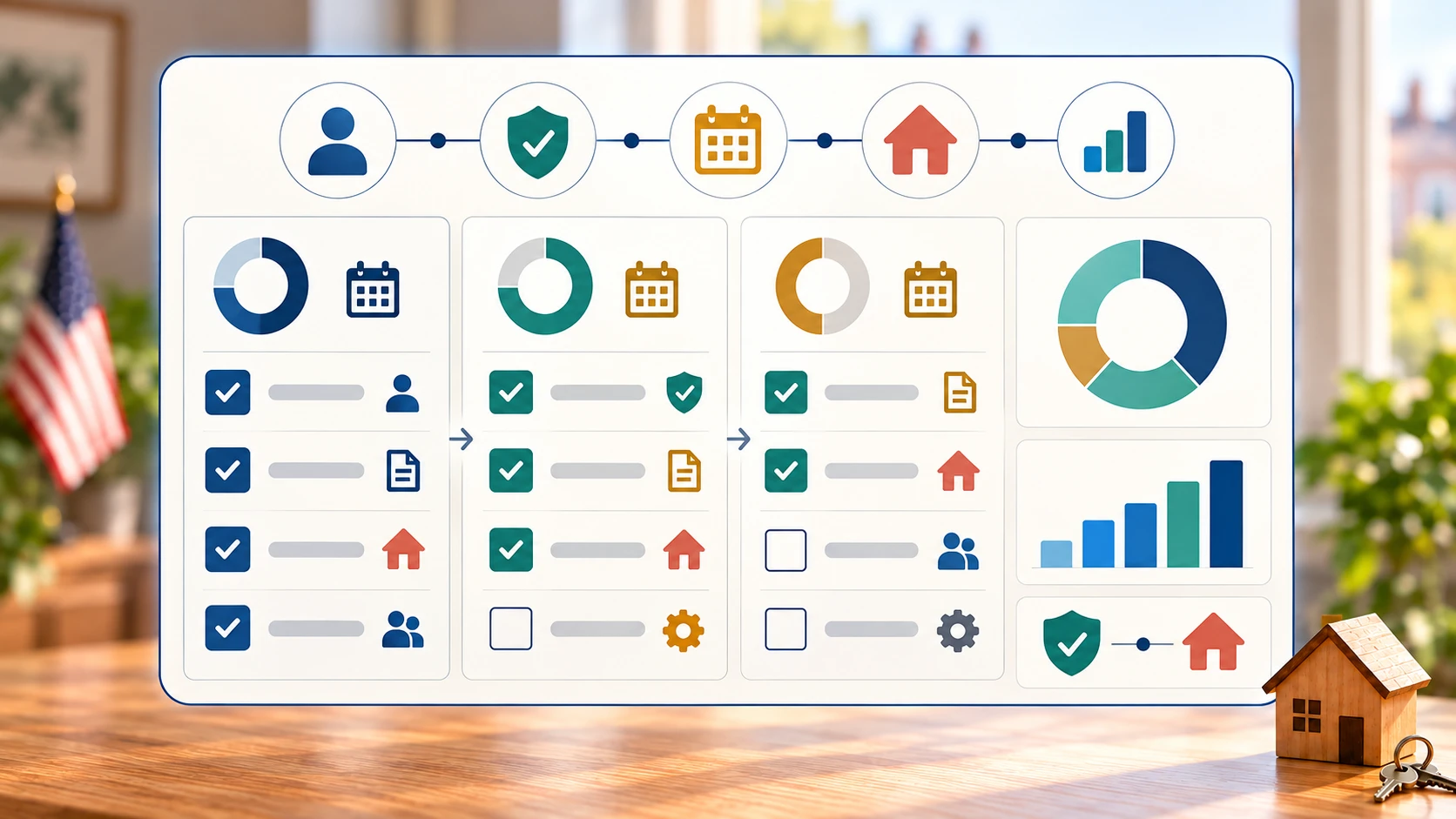
If you’re in one of those groups, it’s time to establish your checklist to ensure you’re prepared to build intake, eligibility, case assignment, service tracking, and reporting workflows. This checklist walks through the first 90 days, so your program is ready for monitoring from day one.
Why the First 90 Days Set the Tone
The need for veteran homelessness services is still going strong. HUD's 2025 point-in-time count recorded 32,495 homeless veterans, a 1% decrease from 2024, but veterans were the slowest-declining group. Organizations need to implement workflows quickly to help support these people in need.
Additionally, your funders will look closely at how you work. Completeness, timeliness, and quality of grantee uploads into HMIS are all factored into the evaluation of grant performance. The VA also completes annual monitoring evaluations of each SSVF grantee and requires quarterly and annual financial and performance reports.
Every habit you form now becomes your audit trail later. A messy first quarter can be hard to repair, while a consistent one makes every report easier. The goal is not perfection by day 90. It is a repeatable process that your whole team follows the same way every time.
Days 1-30: Build the Foundation
In your first 30 days after receiving the grant, your team needs to build the foundation of how you will track the spending and manage the resources.
Here’s where to start:
- Confirm your award terms: Know your program type (SSVF, GPD, or GPD Case Management), your reporting calendar, and your spending categories.
- Name owners: Assign a program director, grant manager, data lead, and case managers, each with clear duties.
- Settle your HMIS plan: Every SSVF and GPD Case Management grantee must participate in at least one HMIS run by a Continuum of Care where you provide direct services. HMIS participation fees are a covered expense for both programs.
- Plan for multiple CoCs: If you serve more than one, you must participate in each CoC's HMIS, by direct entry or by client-level exports, with the arrangement subject to approval by your SSVF Regional Coordinator or GPD liaison
- Map your budget: Tie each grant dollar to a program and activity so spending can be traced from day one.
Done well, this phase is where program-specific workflows get configured. Tools built for grant management help by distributing grant funds to programs and activities at a detailed level.
Intake and Eligibility Checklist
SSVF grantees must verify and document each participant's eligibility and classify the participant before providing supportive services. Build one standard intake process that captures:
- Veteran status: Service with a discharge other than dishonorable
- Household income: This threshold can vary, so confirm the terms for your award.
- Housing status and category, plus every household member.
GPD case files need their own proof: verification of eligibility such as a SQUARES report or DD-214, family status, work and education history, and mental health and substance use history.
Intake sets the quality of everything downstream, because every later report depends on it. If three case managers collect income or housing status three different ways, your eligibility records and data uploads will not line up.
Case Assignment and Caseload Checklist
Decide how veterans reach a case manager before the first referral arrives. Common rules include assignment by site, referral source, acuity, or household size.
Use real benchmarks to size your team. In GPD Case Management, a full-time case manager is expected to carry an average monthly caseload of at least 16 veterans. Services last up to 6 months, and the VA liaison can approve extensions of up to 3 months, but only before the original limit expires. Individual service plans in that program are updated quarterly.
Build into this workflow:
- A caseload view for each case manager
- A waitlist for new referrals
- Automatic reminders for plan updates
- An escalation rule for stalled files
SSVF case management often goes the most smoothly when all stakeholders can view these critical materials in one place.
Service and Housing Placement Tracking
On each service record, you need to document who received it, what it was, when it happened, and what resulted. For SSVF, HMIS data covers the participants served and the types of supportive services provided. For GPD bed-based programs, the stakes are financial. Per Diem Only and Transition in Place grantees submit a monthly voucher and a detailed daily census within 30 days of month-end.
Invoices must show which veterans received which services on which days. Grantees also keep approved, signed voucher copies, and service centers add a daily sign-in log. Capturing services as they happen is far easier than reconstructing them later.
A helpful sample tracking checklist:
- Service record for every contact: veteran, service type, date, staff member, and result
- Placement date
- Move-in date
- Exit destination
- Follow-up date and outcome
- Daily census that names each veteran served (GPD bed-based programs)
- Bed occupancy (transitional programs)
- Signed voucher copies on file (GPD)
- Daily sign-in log (GPD service centers)
The direct services to be tracked will depend on the offerings of your agency.
Reporting and HMIS Readiness
Reporting is where early gaps show up. Funders review your data as well as your services.
The best protection is a routine. Agree with your Continuum of Care on how your program will enter or share data, then build a regular rhythm of entry, review, and reporting. Small, steady habits catch errors while they are still easy to fix. Set up your projects and funding sources early, so each grant's activity stays clearly separate from your other programs.
Requirements differ by program type and funder, so confirm the details in your award terms and program guides.
A baseline checklist should include:
- HMIS participation plan agreed with your Continuum of Care
- Projects and funding sources set up separately by grant
- Standard data entry practices shared with all staff
- A recurring data-quality review
- A calendar for data exports and funder reports
- A named owner for reporting deadlines
- A funder report template ready before the first deadline
- Export plan confirmed if your case management system is separate from HMIS
Outcomes: What to Monitor by Day 90
Analytics measuring outcomes are key to understanding program success. Pick a short list of indicators and set baselines for each one. Common outcomes to measure include:
- Exits to permanent housing: The share of veterans who leave your program for a permanent housing destination, such as their own rental or a stable living arrangement with family or friends.
- Length of participation: The number of days between a veteran's program entry and exit. Track the median as well as the average. Long stays can point to housing search barriers or stalled files.
- Returns to homelessness: The share of veterans who exit to permanent housing but later re-enter homeless services. Typical windows are 6, 12, and 24 months. This shows whether placements last.
- Income and benefits gains: The change in a veteran's income, including employment income and benefits such as VA compensation, between entry and exit or follow-up. Higher income helps veterans keep their housing.
- Caseload per worker: The average number of active veterans each case manager carries at a given time. This is an operational measure rather than a veteran outcome, but it affects the others. Set a baseline so you can spot overload early.
For context, in FY2024, 77 percent of veterans who exited SSVF went to permanent housing, including 73 percent from rapid re-housing and 85 percent from homelessness prevention. Median participation was 115 days. That year SSVF served 91,099 veterans, 59,389 of them through rapid re-housing and 34,141 through homelessness prevention.
Your own numbers will differ, but benchmarks help you spot problems early. By day 90, you should be able to answer three questions: Who are we serving, what services did they receive, and where did they go next?
How PlanStreet Supports the Checklist
PlanStreet's Community-Based Care Platform is built to help teams work through this checklist in one system:
- Program workflows and intake: configure workflows and intake forms for each program.
- Centralized veteran records: one hub for client data to support goals, eligibility decisions, and each veteran's journey.
- Caseloads and service documentation: register veterans in programs, track attendance and delivery, and record individual needs.
- Housing placements: monitor bed occupancy and schedule services.
- Grants and reporting: track grant use by program and activity, and export PDF or Excel reports.
The platform also includes secure messaging and HIPAA-compliant handling of client information. For teams comparing veteran homelessness software, the right test is simple: can it support your intake, tracking, and reporting from week one, using the same workflow for every case manager?
Ready to Start Your First 90 Days Organized?
The first 90 days won’t be perfect, and they don’t need to be. What matters is that intake, tracking, and reporting follow one repeatable process that every team member uses the same way. Build that habit now, and every monitoring visit, voucher, and funder report gets easier.
PlanStreet gives your team one place to manage intake, caseloads, service documentation, housing placements, and grant reporting, so you’re audit-ready from day one. Schedule a demo today and see how PlanStreet can support your SSVF or GPD program from week one.
Frequently Asked Questions
You must participate in the HMIS of each CoC where you provide direct services, either through direct entry or client-level exports. Any export arrangement is subject to approval by your SSVF Regional Coordinator or GPD liaison, so get that sign-off early. Setting up separate projects and funding sources for each grant and CoC keeps your data clean and your reports traceable. A platform that stores client records centrally and supports structured exports can reduce duplicate entry across systems.
Start by deciding which system is your source of record for each data element, then document a regular export or entry schedule tied to your data-quality review. Because HMIS data completeness, timeliness, and quality factor into grant performance evaluation, a recurring review catches discrepancies while they are still easy to fix. Confirm your export plan with your CoC before the first reporting deadline, not after.
The VA conducts annual monitoring evaluations of each SSVF grantee and requires quarterly and annual financial and performance reports. The strongest preparation is consistent documentation from the start: verified eligibility and classification at intake, service records for every contact, and spending tied to specific programs and activities. If your records reflect the same process every time, monitoring becomes a review of what you already do rather than a reconstruction effort.
For GPD Case Management, a full-time case manager is expected to carry an average monthly caseload of at least 16 veterans, with services lasting up to 6 months and individual service plans updated quarterly. Beyond that benchmark, track caseload per worker as an operational measure and set a baseline early. A caseload view for each case manager, automatic reminders for plan updates, and escalation rules for stalled files help you spot overload before it affects outcomes like exits to permanent housing.